
Clear instructions
Each guide focuses on practical steps instead of overwhelming control panel jargon.
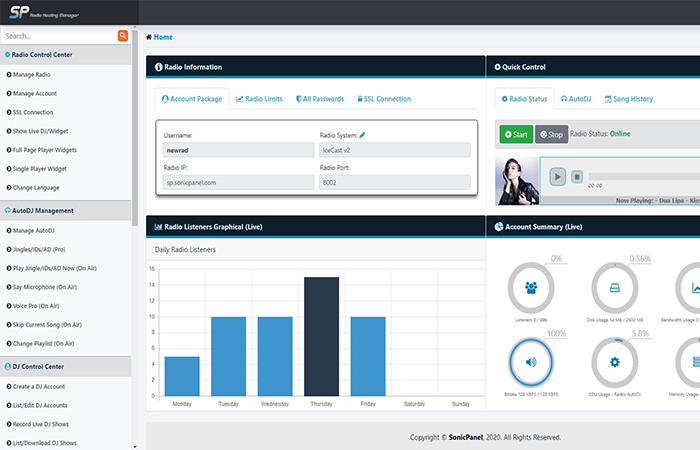
Step-by-step Sonic Panel guides for AutoDJ, playlists, live DJs, encoders, jingles, SSL, social streaming, recordings and player widgets.
Rock-solid reliability you can count on
Real people, real help when you need it
Guided setup and transfer support
Optimised infrastructure for performance
Practical data protection workflows
These posts are designed to help station owners, website owners and teams complete common tasks with more confidence. Use them as a starting point, then open a ticket if you need account-specific help.
Choose a guide below and follow the step-by-step advice.
 Sonic Panel
Create a playlist in Sonic Panel and upload MP3 tracks so your station has music ready for AutoDJ automation.
View details →Sonic PanelStart Sonic Panel AutoDJ, select the active playlist and get your automated radio station broadcasting.
View details →Sonic PanelCreate secure DJ accounts in Sonic Panel so presenters can broadcast live without using the main station password.
View details →Sonic PanelConnect broadcasting software such as BUTT, VirtualDJ, SAM Broadcaster or RadioBOSS to Sonic Panel for live shows.
View details →Sonic PanelUse Sonic Panel intervals to insert jingles, sweepers and station IDs automatically between tracks.
View details →Sonic PanelUse Sonic Panel browser-based talk-over tools to make announcements over your AutoDJ music without a full studio setup.
View details →Sonic PanelSend your radio station audio to YouTube Live or Facebook Live using Sonic Panel social streaming tools.
View details →Sonic PanelEnable Sonic Panel live show recording so presenter broadcasts can be saved for replay, podcasts or compliance needs.
View details →Sonic PanelUse a custom hostname and SSL certificate in Sonic Panel so your radio stream and player load securely on modern websites.
View details →Sonic PanelGenerate and copy Sonic Panel HTML5 player code so you can embed your radio stream on your website.
View details →Each guide focuses on practical steps instead of overwhelming control panel jargon.
Complete common tasks quicker with a checklist-style workflow.
Our team can step in if the task affects your live website, stream or customer account.
“Online Audience made our launch simple, professional and reliable from day one.”
Station Owner
“Fast support, clear pricing and a setup that finally feels easy to manage.”
Business Owner
“The platform is stable, the team understands hosting, and clients get a better experience.”
Web Developer
Open a support ticket and we can help with hosting, streaming, websites, client areas and station setup.